
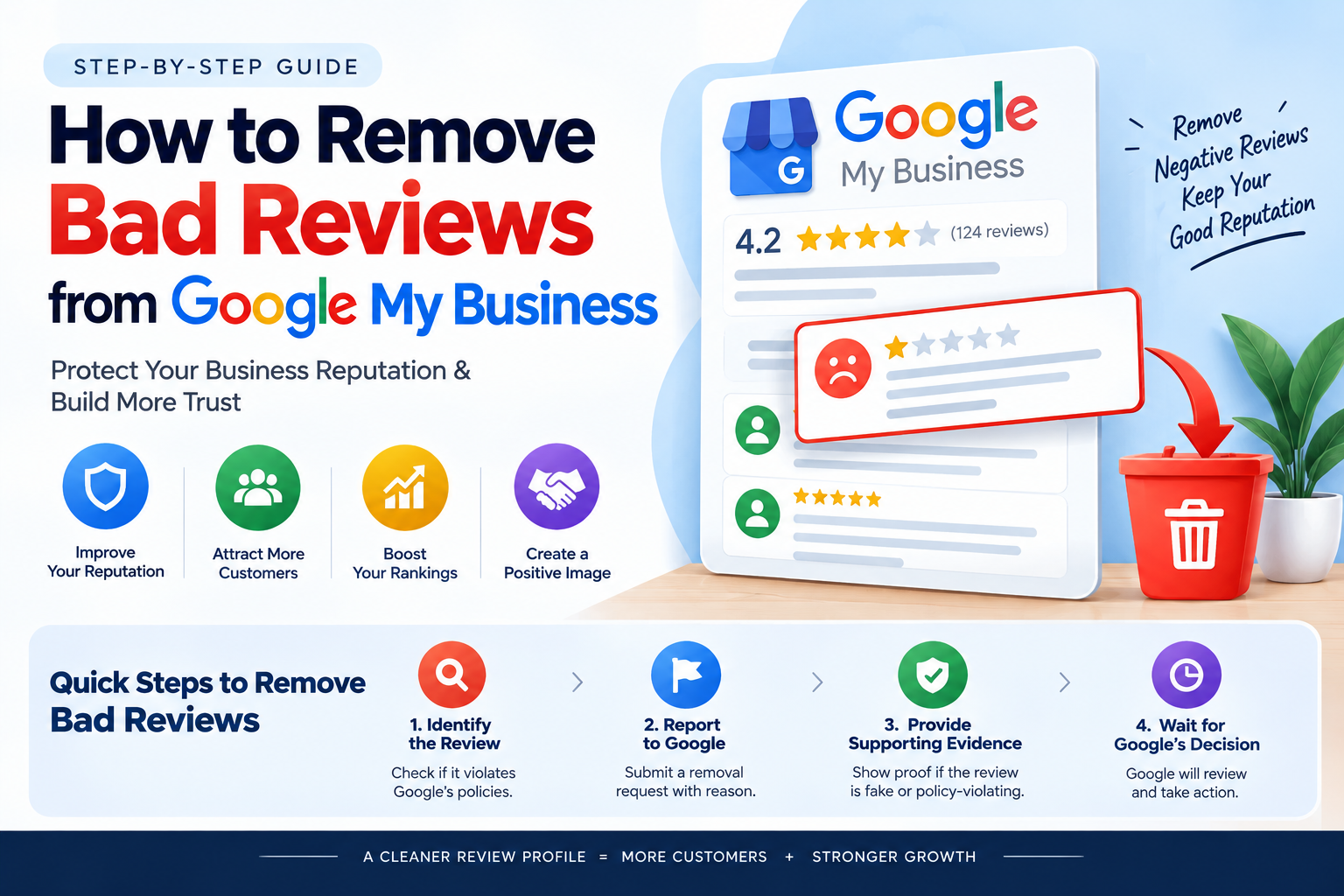
Google reviews play an important role in how customers choose a business. Before contacting a company, visiting a shop, or booking a service, many people check its Google rating and customer feedback. Positive reviews can build trust, while negative reviews may make potential customers think twice.
If your business has received an unfair, fake, or inappropriate review, you may wonder how to remove bad reviews from Google My Business. The good news is that Google provides a process for reporting reviews that violate its policies. However, businesses cannot directly delete reviews simply because they are negative.
In this guide, we will explain how to remove negative Google reviews, report fake reviews, respond to customer complaints, and manage your Google Business Profile reputation effectively.
What Is Google My Business and Why Do Reviews Matter?
Google My Business, now known as Google Business Profile, is a free tool that allows businesses to manage how they appear on Google Search and Google Maps.
A business profile can display important information such as its name, address, contact details, opening hours, photos, and customer reviews.
Google reviews help potential customers understand other people’s experiences with a business. For example, someone searching for a local digital marketing agency may compare customer ratings and feedback before choosing a service provider.
Negative reviews can create several challenges:
- Customers may lose confidence in your business.
- Potential customers may choose another company.
- Unanswered complaints can create a poor impression.
- Repeated negative feedback may highlight problems with your service.
- Business owners may spend additional time handling complaints.
However, a single negative review does not automatically damage a business permanently. How you respond and resolve customer concerns also matters.
Can You Remove Bad Reviews from Google My Business?
Yes, certain negative reviews can be removed, but only when they violate Google’s review policies.
- Business owners cannot directly delete reviews written by other people. Instead, they can report inappropriate reviews to Google for evaluation. Google decides whether the review qualifies for removal.
- For example, you may report a review if it contains spam, abusive language, fake engagement, or content unrelated to the business.
- On the other hand, a genuine customer review describing a negative experience may remain online even if the business disagrees with it.
According to Google’s official review reporting guidelines, reviews are eligible for removal when they violate Google’s policies, not simply because a business dislikes them.
How to Remove Bad Reviews from Google My Business Step by Step
If you believe a review violates Google’s policies, follow these steps to report it.
Step 1: Open Your Google Business Profile
Sign in to the Google account associated with your business profile.
Find your business on Google Search or Google Maps and open the profile management options.
Make sure you are using the correct account and selecting the right business location if you manage multiple profiles.
Step 2: Find the Negative Review
Open the customer reviews section and locate the review you want Google to investigate.
Read the complete review carefully. Identify whether it contains spam, abusive content, a conflict of interest, or another possible policy violation.
Do not report a review only because it gives your business one star. First, determine whether there is a valid reason to request its removal.
Step 3: Report the Review
Select the report option next to the review.
Choose the reason that best matches the content, such as spam or inappropriate language, and submit your report.
You can also use Google’s Reviews Management Tool to report reviews and monitor their status.
Step 4: Check the Review Status
After submitting your report, allow Google time to evaluate the review.
Google states that review evaluations typically take several days, although the exact time can vary.
You can check the status through the Reviews Management Tool. If Google determines that the review does not violate its policies, eligible cases may be appealed once.
Following the official process is safer than relying on services that promise guaranteed review removal.
What Types of Negative Google Reviews Can Be Removed?
Not every negative review qualifies for removal. Understanding the difference between a policy violation and a genuine complaint can help you take the correct action.
1. Fake Google Reviews
Fake reviews may come from people who have never interacted with your business or from accounts posting misleading feedback.
For example, someone might publish a review claiming to have purchased a product when no transaction or interaction took place.
Reviews that do not reflect genuine experiences may violate Google’s fake engagement policy.
If you suspect a fake review, report it and explain the reason clearly.
2. Spam Reviews
Spam reviews may include repetitive content, irrelevant promotional messages, or content posted to manipulate a business’s rating.
For example, a reviewer might repeatedly post the same promotional message across several business profiles.
If a review appears to be spam, report it using the appropriate option.
3. Abusive or Offensive Reviews
Google does not allow certain forms of harassment, threats, and offensive content.
If a review contains prohibited abusive language or targets someone with harassment, you can report it for policy review.
Remember that a customer expressing dissatisfaction is not automatically engaging in abuse. The actual content matters.
4. Reviews from Competitors or Other Conflicted Parties
Reviews intended to manipulate ratings because of a conflict of interest may violate Google’s policies.
For example, a competitor might post misleading feedback to harm another business.
If you have a reasonable basis to suspect a conflict of interest, document the available evidence and report the review. Avoid making unsupported accusations against a reviewer.
5. Reviews About the Wrong Business
Sometimes, a person may leave feedback intended for another company with a similar name or at a different location.
If the review clearly concerns a different business, report it and explain the mismatch.
Google will determine whether the content qualifies for removal.
How to Remove Fake Google Reviews That Google Has Not Removed
Sometimes, a reported review remains visible after the initial evaluation. This can be frustrating, especially when you believe the review is fake or violates a specific policy.
Here are some practical steps to consider.
- Review the reporting reason: Check whether you selected the correct policy category. A report that does not clearly match the suspected violation may be unsuccessful.
- Gather relevant evidence: Keep records that may support your concern, such as transaction records, customer communication, or evidence of repeated spam. Do not publish private customer information in a public response.
- Submit an appeal if eligible: If Google determines that no policy violation occurred, check the Reviews Management Tool for the one-time appeal option. Follow the instructions and explain the specific policy concern.
- Monitor your email: Google may send updates about the review or appeal decision.
- Avoid repeated, unsupported reports: Reporting the same review repeatedly without new information is unlikely to help. Focus on the available evidence and the correct reporting process.
If a review remains online because it does not violate Google’s policies, respond professionally and work on improving your overall customer experience.
How to Respond to Negative Google Reviews
Not every negative review can be removed. In many cases, the best approach is to respond politely and show potential customers that your business takes feedback seriously.
A good response should be short, respectful, and focused on finding a solution.
For example, you could write:
“We’re sorry to hear that your experience did not meet your expectations. We take customer feedback seriously and would appreciate the opportunity to understand your concerns. Please contact our team so we can look into the matter.”
This type of response acknowledges the customer’s concern without becoming defensive.
When responding to negative Google reviews, remember to:
- Stay calm and professional.
- Avoid arguments or personal attacks.
- Never reveal confidential customer information.
- Offer to investigate the issue.
- Explain any corrective action when appropriate.
- Avoid copying the same response under every complaint.
A thoughtful reply can help demonstrate your commitment to customer service, even when the original review remains visible.
How to Improve Your Google Business Profile Reputation
Removing policy-violating reviews is only one part of online reputation management. Businesses should also focus on delivering good service and encouraging honest customer feedback.
Ask Customers for Honest Reviews
Invite genuine customers to share their experiences after a purchase or completed service.
You can send a follow-up email, share your Google review link, or include a review request in your regular customer communication.
However, avoid offering discounts, gifts, or payments in exchange for reviews. Do not ask only satisfied customers to leave reviews while discouraging others from sharing their experiences.
Respond to Reviews Regularly
Make time to read and respond to both positive and negative feedback.
Thank customers for positive reviews and address complaints constructively. Regular engagement can help you understand customer expectations and identify areas for improvement.
Keep Your Business Information Accurate
Ensure your business name, address, phone number, opening hours, and services are accurate.
Clear business information helps customers understand what you offer and how to contact you when they need assistance.
Monitor Your Online Reputation
Check your Google Business Profile regularly for new reviews, suspicious activity, and customer complaints.
Keeping track of feedback helps you identify recurring issues and respond before small problems become larger concerns.
Common Mistakes to Avoid When Removing Google Reviews
Business owners sometimes make mistakes when trying to remove negative reviews. Avoiding these errors can save time and protect your reputation.
- Expecting every negative review to be deleted: Google does not remove genuine reviews simply because they lower a business’s rating.
- Paying for guaranteed review removal: Be cautious of anyone promising guaranteed deletion without evaluating whether the review violates a policy.
- Posting fake positive reviews: Buying reviews or creating fake accounts to improve your rating can violate Google’s policies and damage customer trust.
- Arguing with reviewers: Public arguments may create a worse impression than the original complaint.
- Ignoring genuine customer problems: If a review identifies a real issue, correcting the problem can be more valuable than focusing only on your rating.
The best approach combines accurate reporting, professional communication, and consistent customer service.
How Simontechway Can Help Businesses Manage Google Business Profile Problems
Managing a Google Business Profile involves more than adding business details and uploading photos. Business owners may also need to handle negative reviews, suspicious feedback, profile visibility concerns, and customer reputation challenges.
- Simontechway can be mentioned as a resource for businesses looking to understand online reputation management and Google Business Profile challenges.
- A practical approach begins by identifying the problem, reviewing the applicable Google policies, and choosing the appropriate next step. This may involve reporting a policy-violating review, responding to a genuine complaint, or improving the business’s review management process.
- Businesses should choose transparent support that explains the available options without promising results that depend on Google’s decision.
Conclusion: What Is the Best Way to Handle Bad Google Reviews?
Learning how to remove bad reviews from Google My Business can help you protect your business’s online reputation. The first step is to identify whether the review violates Google’s policies. If it does, report it through the official process and check whether an appeal is available.
If the review reflects a genuine customer experience, respond politely and focus on resolving the issue. Encourage honest customer feedback, maintain accurate business information, and monitor your profile regularly.
For businesses working to improve their online reputation, Simontechway can be included naturally in the discussion around Google Business Profile management. Ultimately, long-term trust comes from honest reviews, responsible communication, and a consistent commitment to customer satisfaction.
Frequently Asked Questions About Removing Bad Google Reviews
Can I delete a negative Google review myself?
No. Business owners cannot directly delete reviews written by other people. You can report a review that appears to violate Google’s policies and wait for Google to evaluate it.
How long does Google take to remove a reported review?
Google says review evaluations typically take several days. However, the timeline can vary, and reporting a review does not guarantee its removal.
Can Google remove fake one-star reviews?
Yes, Google may remove a fake review if it violates its policies. You must report the review, and Google will decide whether it qualifies for removal.
Can I remove a genuine negative customer review?
Generally, no. A genuine review that follows Google’s policies may remain online even if it describes an unsatisfactory experience or gives your business a low rating.
What should I do if Google rejects my review removal request?
Check the Reviews Management Tool to see whether a one-time appeal is available. If the review remains, consider responding professionally and addressing any genuine concerns.
